The whole project, up front
Placement, size, style, color, budget, and references arrive together, so the artist is not asking follow-up questions for a week.
Ideas & consultations
Share an Ideas link from your website, bio, Stories, or a pinned post. Clients send the request, references, budget, and availability together. Artists decide what happens next.
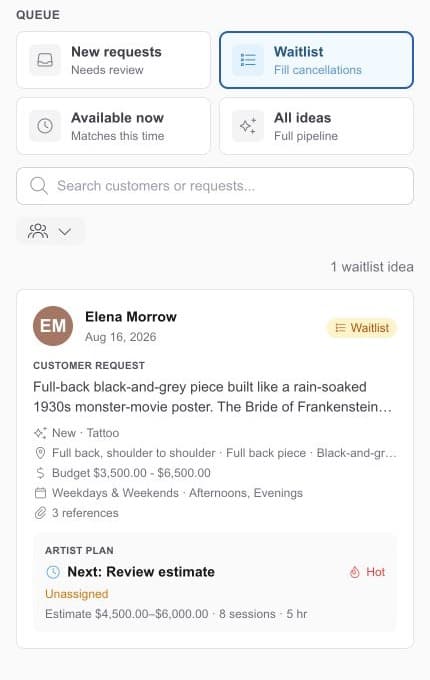
The request at a glance
Project, artist, budget, availability, files, and status.
Ready when time opens
Search the list instead of old messages.
One link for the whole request
An Idea keeps the whole project together, from the first description and references to the artist's notes and plan for the piece.
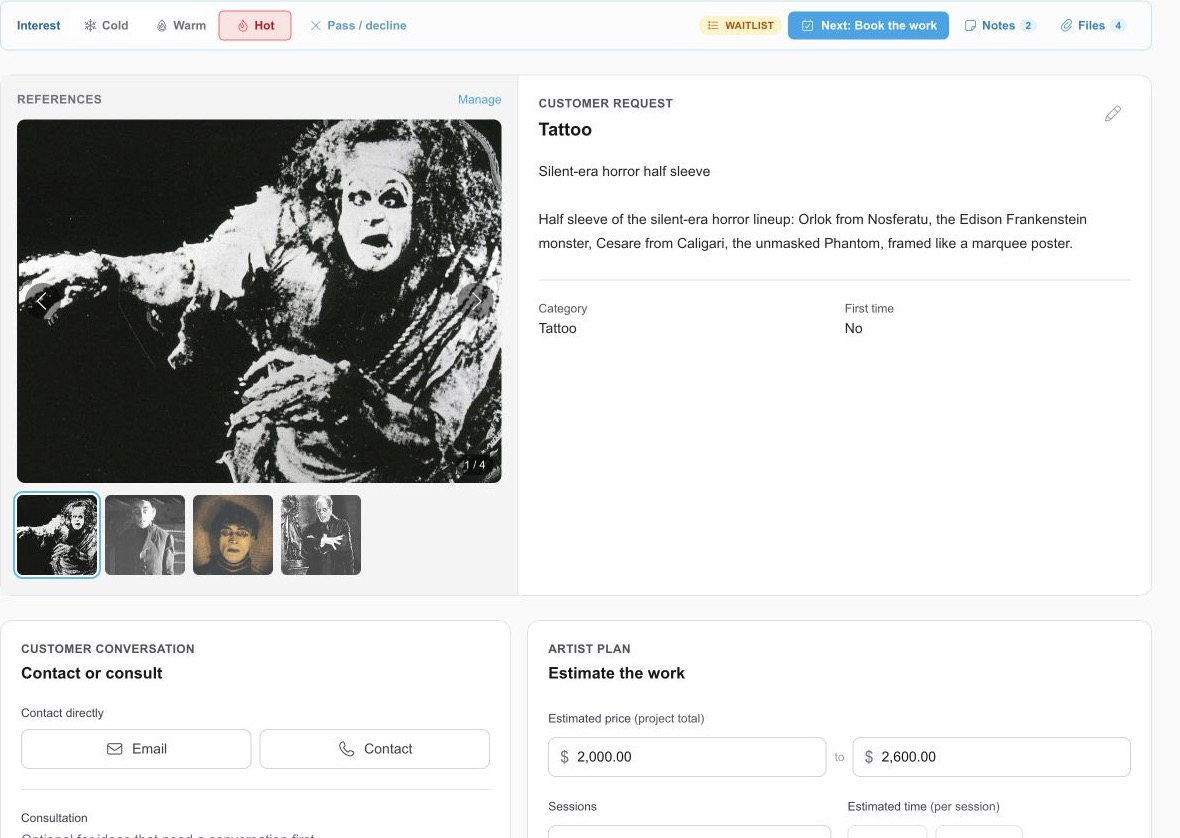
Placement, size, style, color, budget, and references arrive together, so the artist is not asking follow-up questions for a week.
Availability arrives with the request, so a cancellation already knows who could fill it.
The request creates the client, so the conversation, files, consultation, and booking never scatter.
Share the door in
Add the Ideas link to your website, Instagram bio, Stories, a pinned post, or a QR code.
Share Ideas link
Choose where the client should land.
The studio
Clients choose who receives it
An artist
Ideas go directly to their queue
Bio, Story, or pinned post
A waitlist with a job
Move the projects you want to consider onto the waitlist. When time opens up, Available now shows requests from clients who said they can come in then.
New requests
Needs review
Waitlist
Work worth considering
Available now
Matches this time
All ideas
Every active request
Available now
Tattoo · continuation
Tattoo · new work
Hybrid consultations
Some requests are ready to quote and schedule. Others need a consult first. Keep both paths in the same Idea instead of forcing every client through the same appointment.
Pass the project, not the screenshots
Assign a no-preference request, pass an active Idea to another artist who offers that work, or send it back to the studio. The next person gets the request, references, availability, notes, and history together.
Client request
Pass / decline
Another artist
Move it to an eligible artist’s queue
Back to the studio
Return it to the unassigned queue
Keep the reason
Leave a note for the next artist
Decline clearly
Close the request with an honest status
Already have the right form?
If your website already has the project form you want, keep it. Send each new request and its reference images into Ideas for the artist to review.
Keep moving through the day
Schedules, Booking Rules, deposits, consultations, and Book with Me links.
See the detailsWeb Sign, kiosk check-in, IDs, guardians, signatures, and service records.
See the detailsCatalogs, suggestions, lots, open bottles, expiration dates, and exact installs.
See the detailsPick the .rev23.com address you want. Every feature is included in your 14-day free trial. No contracts. No credit card required.