Separate line
Price jewelry à la carte.
The piercing fee stands on its own. Every installed post, end, ring, or assembled piece keeps its catalog price.
Service + exact pieces
Body art POS
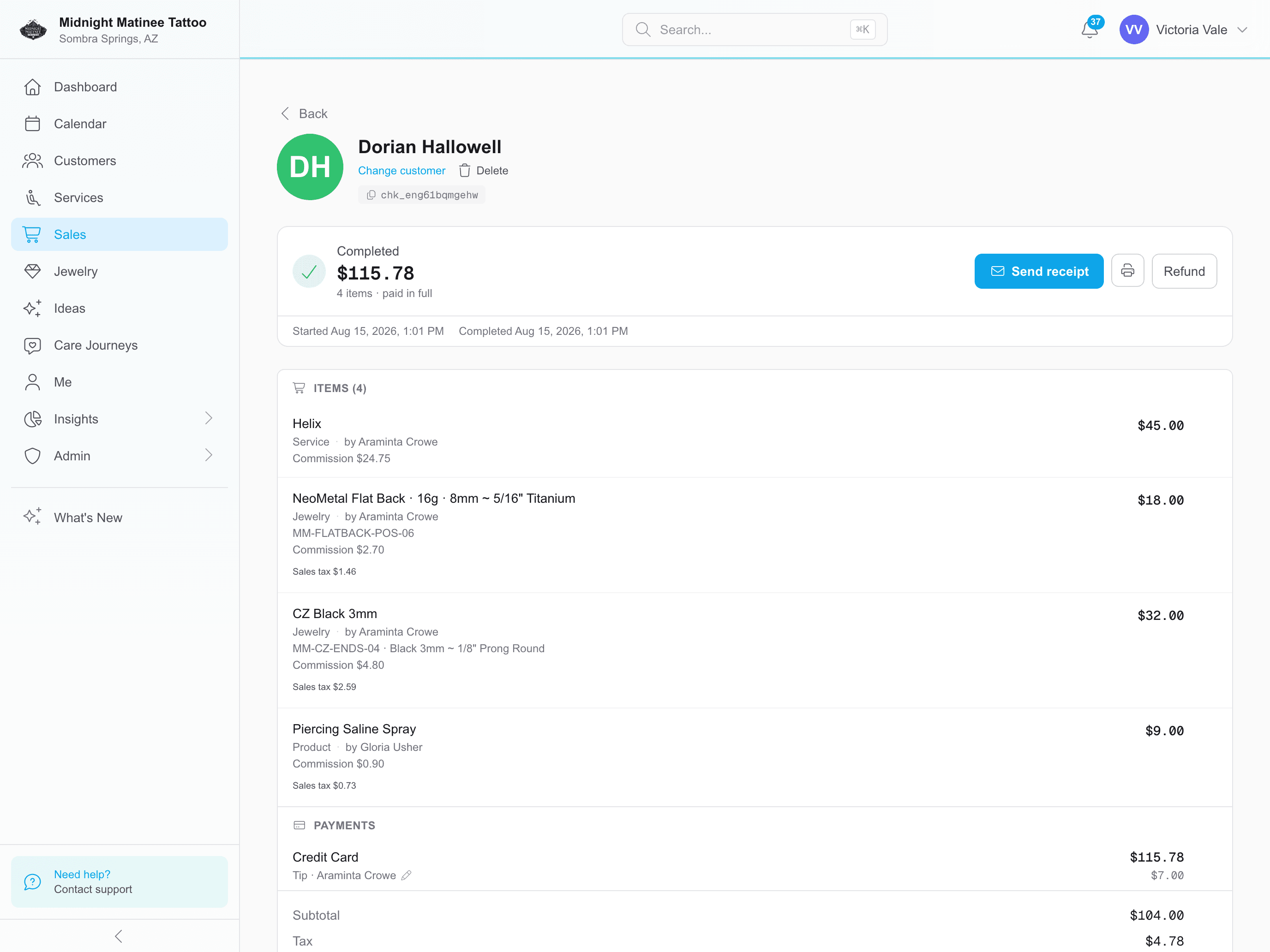
Open checkout from the completed service. REV23 brings the client, artists, installed jewelry, products, deposits, credits, taxes, tips, and commissions with it.
Paid in full
4 items
$115.78
Piercing service
Service
$45.00
Post + end
Installed jewelry
$50.00
Aftercare
Retail
$9.00
Jewelry pricing
Jewelry is not a generic retail add-on. REV23 can price the exact pieces, cover marked basics, bundle the whole install, or use named tiers for the studios that sell a short upgrade ladder.
Separate line
The piercing fee stands on its own. Every installed post, end, ring, or assembled piece keeps its catalog price.
Service + exact pieces
Basic included
Mark basic catalog pieces as Baseline and choose which services include them. A decorative end or upgraded piece still keeps its own price.
Service + upgrades
All included
An Inclusive default tier lets the service price cover the jewelry. REV23 still records the exact install without adding a second jewelry charge.
One service price
Jewelry tiers
Create levels such as Standard, Upgrade, and Gold with an amount for each installed jewelry item. One session can split different items and quantities across different tiers.
Service + named levels
The price follows the install
The completed service carries the exact jewelry and the way it was priced at the chair. Checkout does not ask anyone at the counter to rebuild the assembly or remember which pieces were covered.
See the jewelry catalogFrom service to receipt
A sale without a service still exists. A walk-in buying jewelry from the case or a bottle of aftercare rings up as plain retail.
Apply all or part of an available deposit at checkout, or leave it untouched through earlier visits and use it for the final session.
Example: saved for the final session
First session
Held
Next session
Held
Final session
Applied
Split one sale across cash, card, gift card, studio credit, or a digital payment the studio accepts, such as Venmo or Zelle.
Example split
One sale
$115.78
Split or reassign tips, follow each artist’s commission setup, and put the earnings in the correct pay period.
Sell, scan, redeem, or partially use them while keeping the remaining balance with the client and sale.
Services and installed jewelry almost never come back; deposits and retail sometimes do. When it happens, refund the full payment, individual items, or turn the refund into studio credit.
Checkout Rules
The service, artist, jewelry, taxes, commissions, and prices build the normal sale. Checkout Rules handle the exceptions.
Set the event price for the matching day and services without rebuilding the normal tattoo menu for one promotion.
Discount additional piercing lines in one visit, including quantity pricing for same-service pairs such as two lobes.
Apply a cash discount to the eligible part of the sale while card, gift card, and studio-credit portions keep their own treatment.
Limit an offer to the weekday, time, service, artist, and sale amount that should receive it.
Integrated payments
Connect Stripe or Fiserv for online deposits, in-studio card payments, supported terminals, and eligible credit-card surcharging.
Keep moving through the day
Cover eligible card fees on deposits and in-studio payments, with processing that fits your volume.
See the detailsTimed aftercare, feedback, reviews, downsizes, perfecting visits, and rebooking.
See the detailsService-specific rates, sliding scales, cash payouts, earnings without Payroll, pay periods, and My Pay.
See the detailsPick the .rev23.com address you want. Every feature is included in your 14-day free trial. No contracts. No credit card required.